Your Lab GPUs Are Half Idle
A mini AWS for research labs — allocation, monitoring, and dev environments in one platform
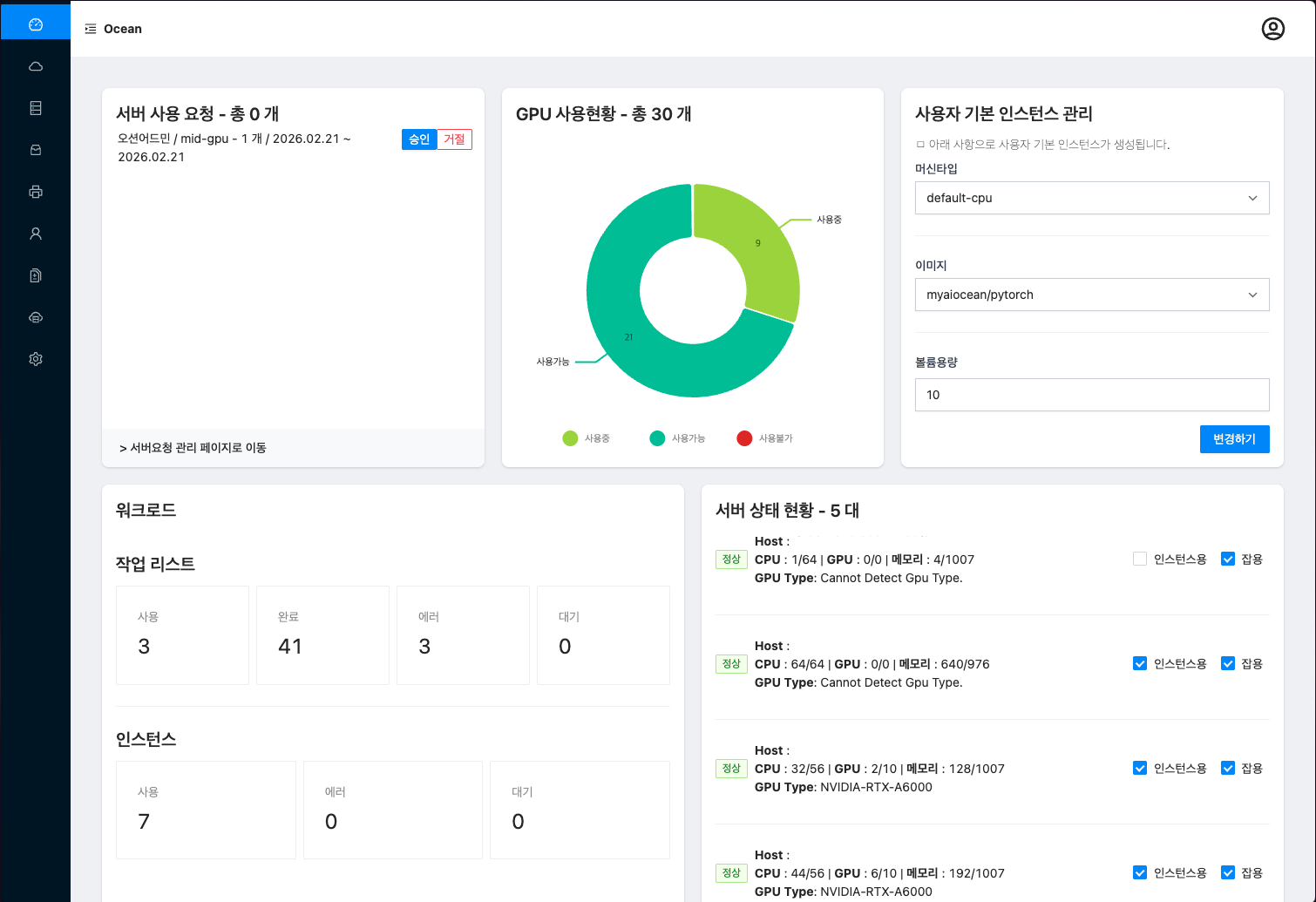
A mini AWS for research labs — allocation, monitoring, and dev environments in one platform
You have to SSH into each server just to check if a GPU is free. There's no real-time overview of what's in use.
Without allocation policies, one user monopolizes all GPUs while everyone else waits indefinitely to run experiments.
Managing GPU reservations via chat and spreadsheets leads to constant conflicts. The overhead only grows with scale.
Budget for new hardware is limited, yet most existing GPUs run at less than half their capacity.
A cluster management platform installed on your existing GPU servers.
A mini AWS for your lab.
No more GPU politics. Set per-user quotas and let the platform handle enforcement automatically.
Launch VSCode and Jupyter right from the browser.
Installs directly on your existing GPU servers. No dedicated ops staff needed.
See who used what, when, and how much — all in real time from the admin dashboard.
GPU Utilization
Minimize idle resources
Weekly Server Mgmt
Fully automated operations
Setup Time
Deployed within 1 week
Self-Service
No admin intervention needed
Managing 100+ GPUs across research labs

"After adopting Ocean, GPU allocation conflicts disappeared. Our researchers now focus on research instead of infrastructure."
— Professor, Korea University

"Time previously spent managing GPU resources can now be fully dedicated to research."
— PhD Researcher, Kyunghee University

"Real-time monitoring has significantly improved our resource utilization rates."
— Infrastructure Manager, University of Seoul

"The web IDE feature lets us start research immediately without any environment setup."
— MS Researcher, Chungnam National University
"After adopting Ocean, GPU allocation conflicts disappeared. Our researchers now focus on research instead of infrastructure."
— Professor, Korea University
"Time previously spent managing GPU resources can now be fully dedicated to research."
— PhD Researcher, Kyunghee University
"Real-time monitoring has significantly improved our resource utilization rates."
— Infrastructure Manager, University of Seoul
"The web IDE feature lets us start research immediately without any environment setup."
— MS Researcher, Chungnam National University
| In-House | Ocean | |
|---|---|---|
| Setup Time | 6+ months | Under 1 week ✅ |
| Dedicated Staff | Required | Not needed ✅ |
| Incident Response | On your own | Remote support ✅ |
We provide custom quotes based on your GPU count and operational environment.
Yes. Ocean installs on your existing GPU servers. No additional hardware purchase required.
Typically completed within one week, depending on your server environment.
We provide remote monitoring and rapid support via Slack and email.
Ocean runs with as few as 1 GPU node. We recommend 3 or more including a dedicated master node.
Book a 15-minute call and we'll walk you through a setup tailored to your environment